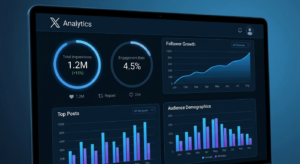
A social media analytics report is only as useful as the decisions it drives. Too many reports are dense with data and light on insight — they tell stakeholders what happened last month without explaining why it happened or what should change next. Building a report that actually informs strategy requires knowing which metrics matter for your specific goals, how to structure data for different audiences, and how to draw conclusions that go beyond number summaries. This guide covers everything you need to build a report that earns attention and drives action.
Define the Purpose Before Building the Report
The first question for any analytics report isn’t “what data do I have?” — it’s “who is this for, and what decision does it need to support?” A weekly operations report for a social media manager looks nothing like a quarterly executive summary for a C-suite audience. Misaligning report structure with audience needs is the most common reporting mistake.
Report Audience Types
- Social media managers: Granular, post-level data, content performance breakdowns, actionable optimization notes
- Marketing managers: Channel performance, campaign results, audience growth trends, comparative benchmarks
- Executives: Business impact metrics (conversions, revenue attribution, SOV), headline KPIs, trend arrows
- Clients (agency context): Goal vs. actual comparisons, narrative context, forward-looking recommendations
Core Sections Every Social Media Report Should Include
| Section | What to Include | Audience Relevance |
|---|---|---|
| Executive Summary | 3–5 headline KPIs, trend vs. prior period, key wins and challenges | All audiences |
| Audience Growth | Follower counts, growth rate, follower quality indicators | All audiences |
| Content Performance | Top performing posts, format breakdown, engagement rates by type | Managers, specialists |
| Reach and Visibility | Impressions, organic reach, paid reach, reach rate | Managers, executives |
| Engagement Analysis | Total engagements, ER, breakdown by type (likes, comments, shares) | All audiences |
| Conversions and Business Impact | Link clicks, conversions, revenue attribution (if tracked) | Executives, clients |
| Recommendations | 3–5 concrete, data-backed next actions | All audiences |
Choosing the Right Reporting Tools
The tool you use to build your report should match the complexity of your reporting needs and your team’s technical capacity.
Native Platform Analytics
Free and accurate for single-platform reporting. Best for individual creators or small teams managing one or two channels. Limitations: no cross-platform comparison, limited historical data, no automated delivery.
Third-Party Reporting Tools
Platforms like Sprout Social, Hootsuite Analytics, Buffer Analyze, and Metricool consolidate multi-platform data and offer white-label PDF reports. These are the standard for agencies and mid-size brands managing multiple accounts. Cost ranges from $50–400/month depending on account volume and features.
Google Looker Studio (Free)
For teams with technical resources, Google Looker Studio (formerly Data Studio) connected to social analytics APIs creates fully customizable, real-time dashboards that update automatically. Higher setup cost, lower ongoing effort — ideal for reporting-heavy workflows.
Structuring the Report Narrative
Data without context is noise. Every significant metric in a social media report should be accompanied by a “so what” — an explanation of why the number moved, what it means for the strategy, and what should happen differently as a result.
The PCS Framework
For each major insight in your report, use the PCS structure: Point (what the data shows), Context (why it moved), So What (what it means for strategy). This three-part structure forces analysts to move beyond reporting metrics to providing actionable intelligence.
Benchmarking and Goal vs. Actual Comparison
Every metric in a report is more meaningful in context. Context comes from three sources: your own historical performance (month-over-month, year-over-year), industry benchmarks for your category, and goal vs. actual comparison against targets set at the start of the period.
Setting Up Monthly Baselines
Establish a baseline in your first month of reporting. From month two onward, every report should include a percentage change column comparing current period performance against the prior period and the same period last year where data is available. Visual trend arrows (↑ or ↓) in executive summaries communicate direction faster than raw numbers.
Automating Report Generation
Manual report creation is time-intensive and error-prone. Most third-party social media management platforms support automated PDF or email delivery of pre-configured reports on weekly or monthly schedules. Setting up automated delivery ensures consistency, saves hours per reporting cycle, and removes the possibility of human transcription errors between dashboards and reports.
FAQ
- How often should I produce a social media analytics report?
- Weekly operational reports for active campaigns; monthly performance reports for ongoing channel management; quarterly strategic reviews for executive audiences.
- What are the most important metrics for an executive report?
- Focus on business-impact metrics: conversions, revenue attribution, cost per acquisition, and share of voice. Executives need fewer data points with clearer business implications.
- How do I attribute conversions to social media?
- Use UTM parameters on all social media links to track traffic in Google Analytics. Set up conversion goals or e-commerce tracking to connect social sessions to business outcomes.
- What’s the best free tool for social media reporting?
- Google Looker Studio connected to Google Analytics and platform API connectors is the most powerful free option, though it requires technical setup. For out-of-the-box reporting, native platform analytics are the next best free option.
- How long should a social media report be?
- Executive summaries: 1–2 pages. Manager-level operational reports: 5–10 pages. Specialist-level detailed reports: no length limit, but every section should earn its inclusion.
Conclusion
A great social media analytics report does three things: it tells the right story to the right audience, it puts numbers in context rather than presenting raw data, and it ends with clear recommendations that inform the next period’s strategy. Start by defining your audience, pick the metrics that align with your goals, and use the PCS framework to ensure every data point comes with meaning attached. Reports built this way get read, acted on, and remembered — which is what separates useful analytics from dashboard noise.